Backup & Restore
Your modules can be downloaded again. Your notes cannot. Years of annotation, your own cross-references, the collections you've built — that is the part of Keep Thy Heart Bible Reader that is genuinely irreplaceable, and it lives on one computer.
Back it up.
What's included
A backup contains everything you have created:
- Verse notes, documents, journal entries, and prayer lists
- Highlights and underlines
- Bookmarks and collections
- Your own cross-references
- Sessions and layout state
It does not include module content — translations, commentaries, and dictionaries are reinstallable from the Module Manager, so there's no reason to carry them in every backup.
Creating a backup
Go to File → Export My Notes.
You'll be asked for a password, entered twice. The backup is encrypted with it.
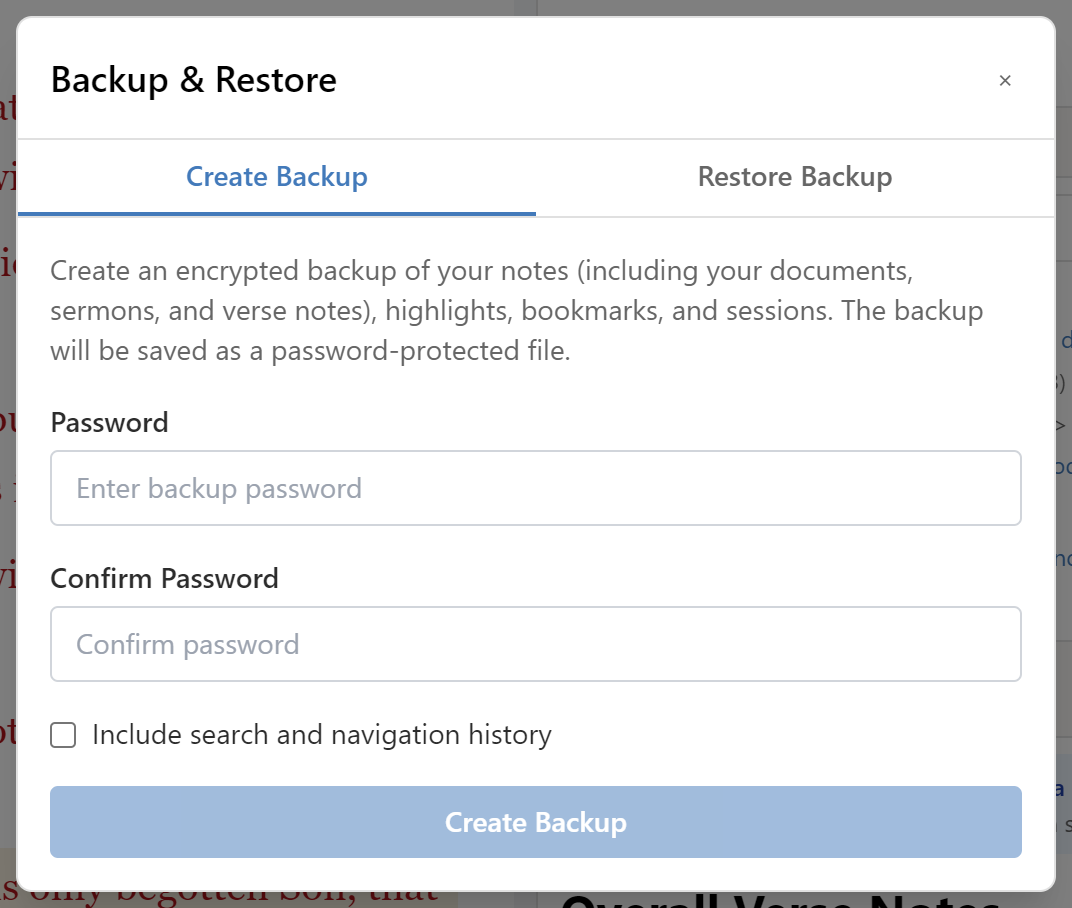
The password cannot be recovered. If you lose it, the backup cannot be opened — by you or by anyone else. Store it somewhere you'll still have access to if the computer you're reading this on stops working.
Choose where to save the file. A backup sitting on the same disk as the app protects you from mistakes but not from hardware failure; keep a copy somewhere else — another drive, or cloud storage.
Restoring
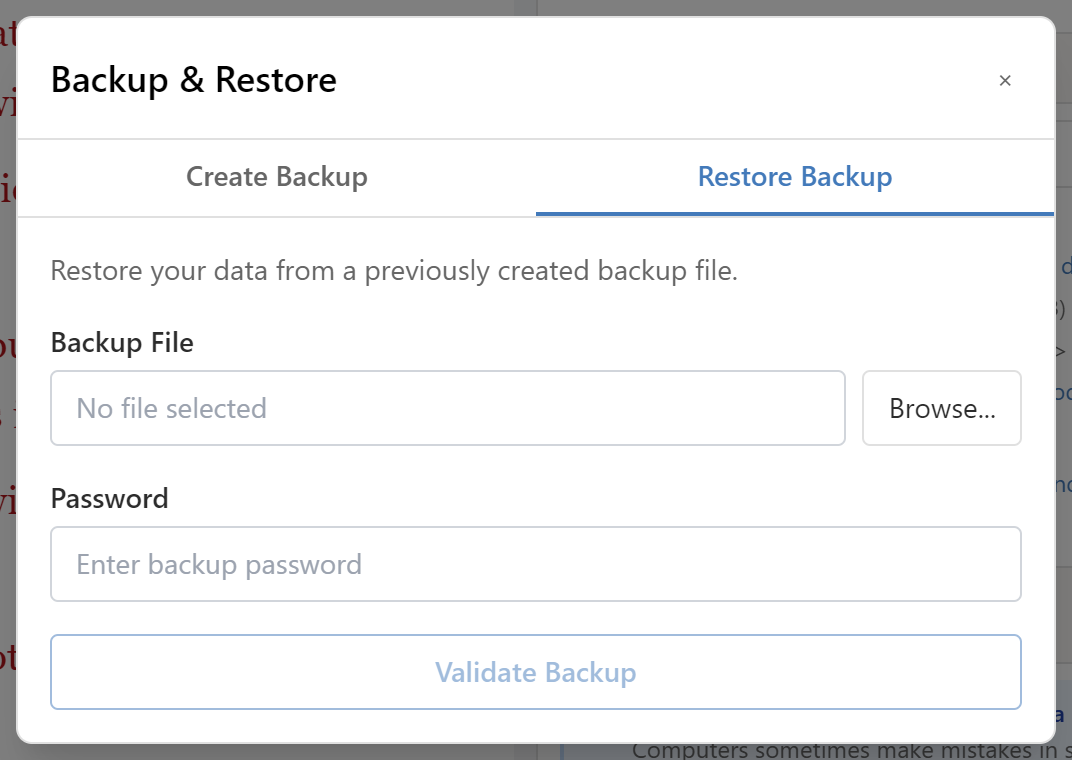
Open the same Export My Notes dialog and choose the restore side, then select your backup file and enter its password. The dialog shows the backup's details before you commit to anything.
You then choose a restore mode:
Merge (recommended) adds the backup's contents alongside what's already there. Nothing existing is deleted. This is the right choice in almost every case — moving to a new computer, recovering something you deleted, combining work from two machines.
Replace All discards everything currently in the app and replaces it with the backup. Use this only when you genuinely want the current state gone — for example restoring a known-good backup after something has been corrupted.
Replace All permanently deletes your current notes, highlights, and bookmarks. Make a fresh backup before using it, even if you're confident.
How often
There's no automatic backup, so this is on you. Reasonable practice:
- After any substantial session — if you've just spent an evening annotating, back up before you close.
- On a schedule you'll actually keep — monthly beats "weekly" that you abandon after three weeks.
- Before anything risky — upgrading the app, migrating machines, or using Replace All.
Keep more than one. A single backup file that turns out to be corrupt is no backup at all; a rolling set of the last few is far more robust.
Moving to a new computer
- On the old machine, File → Export My Notes, and save the file somewhere you can reach from the new one.
- Install Keep Thy Heart Bible Reader on the new machine.
- Reinstall your modules from File → Module Manager.
- Restore the backup in Merge mode.
Your notes, highlights, bookmarks, and sessions come across. Because modules are reinstalled rather than transferred, the backup file stays small enough to email yourself.
Where your data lives
Between backups, your work is in a database in the application's data directory, separate from module content. Updating or uninstalling a module never touches it.
You can copy that directory as a backup too, but the export is the supported path: it's encrypted, it's portable across app versions, and it has a restore process that understands merging.