Copying & Exporting
Getting text out of Keep Thy Heart Bible Reader — into a sermon, an essay, a message to a friend — is deliberately flexible, because everyone's citation conventions are different.
Copying verses
Quickly. Select a verse or range and press Ctrl+C, or right-click and choose the copy option. You get the text in your default format.
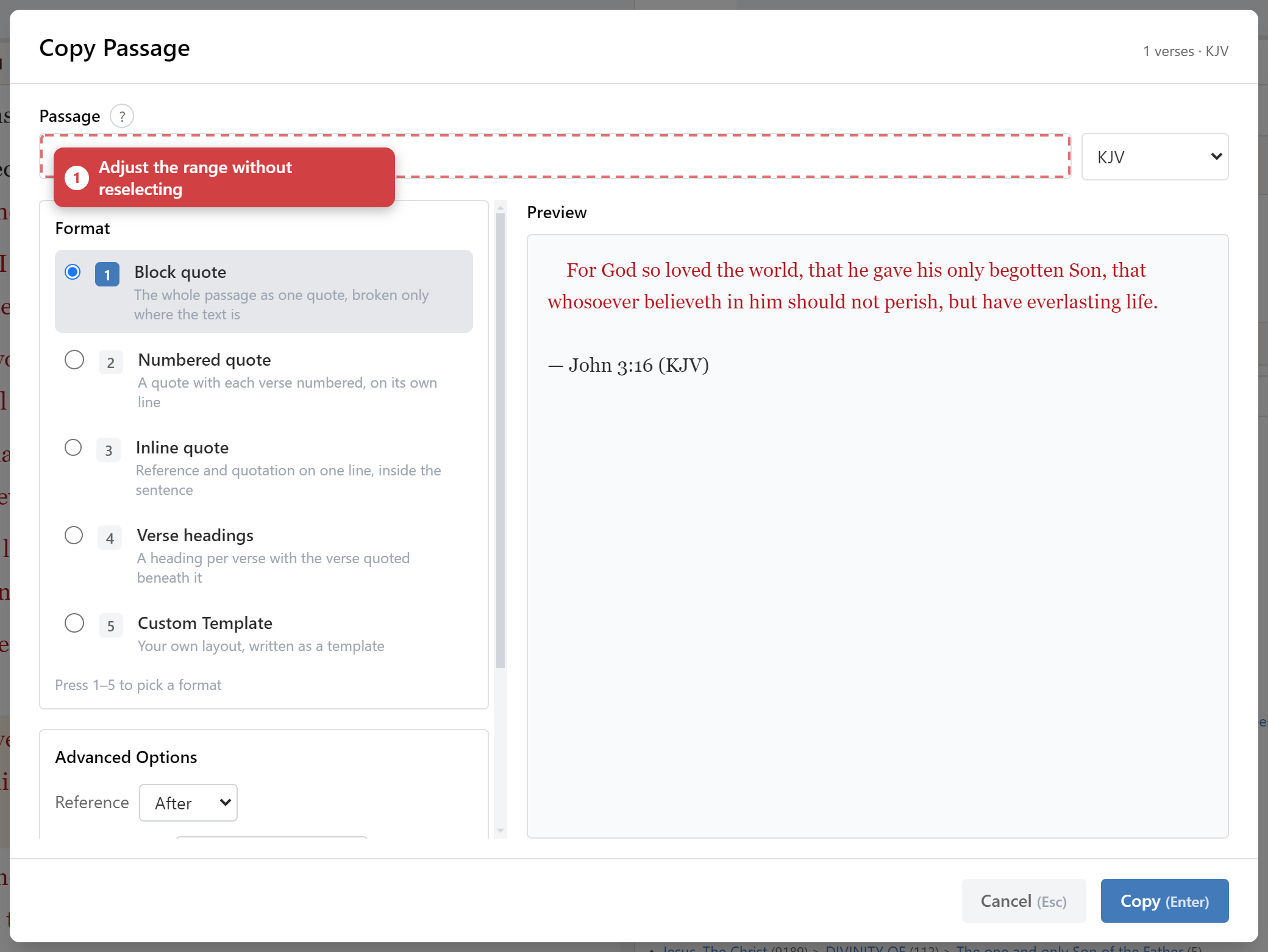
With options. Right-click and choose Copy Passage… to open the copy dialog, where you control exactly what goes on the clipboard.
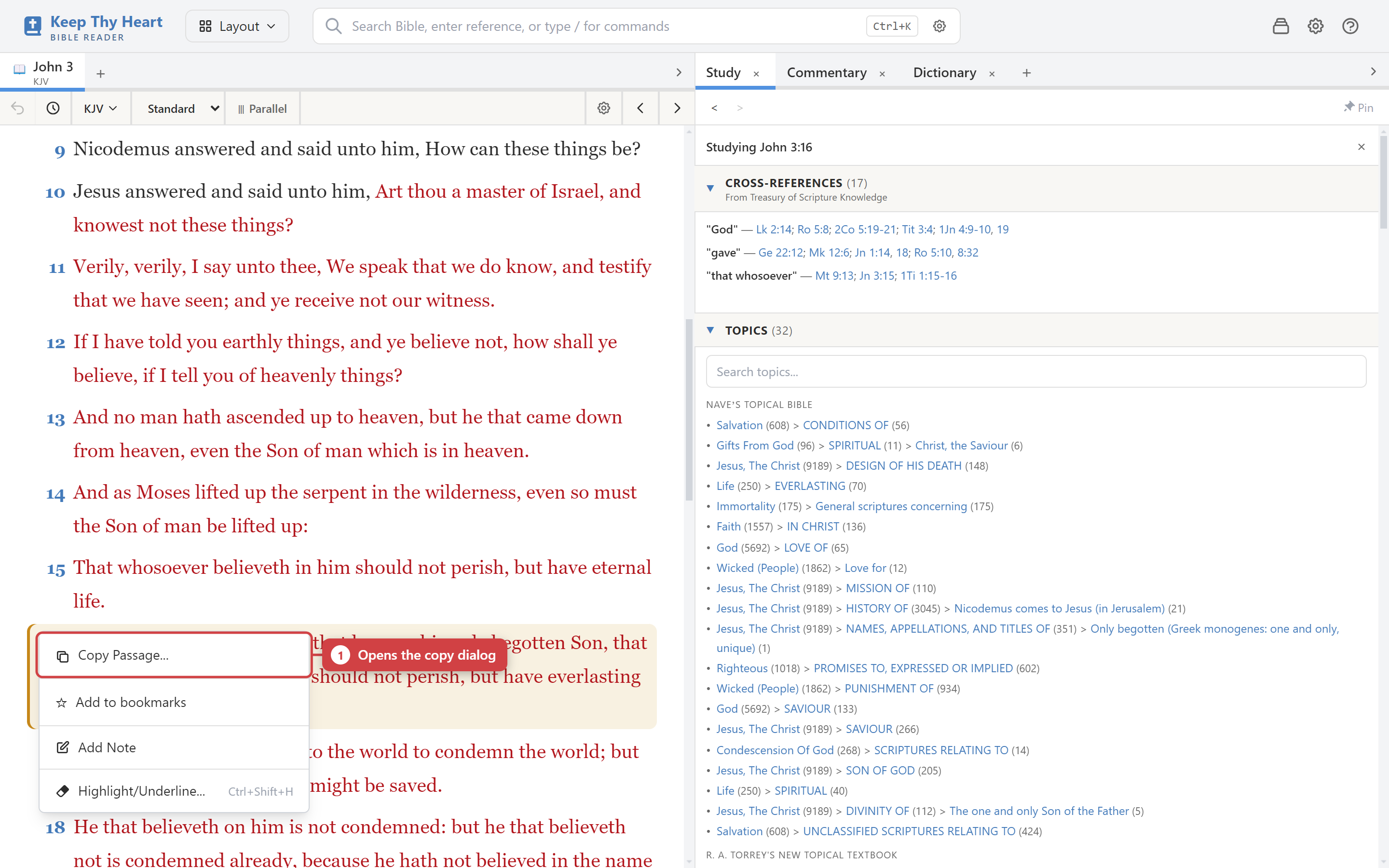
The copy dialog
The dialog gives you:
- Format templates — pick a preset, or create your own.
- Include or exclude the reference, the verse numbers, and the translation name.
- Verse range — adjust which verses you're copying without closing the dialog and reselecting.
- A live preview showing exactly what will land on the clipboard.
That preview matters. Citation format is fiddly, and seeing the result before you paste saves the round-trip of pasting, checking, and coming back.
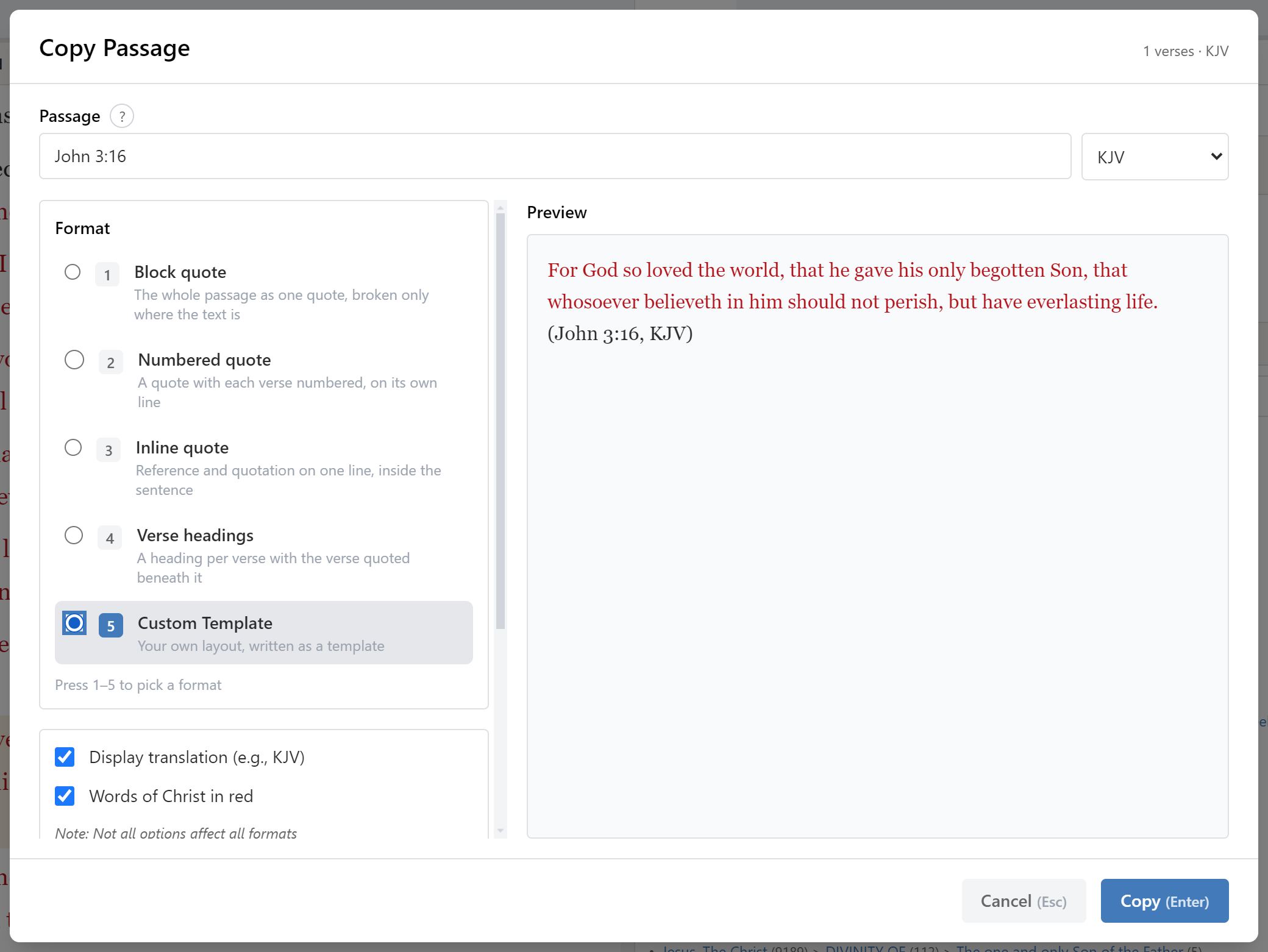
Custom templates
If none of the presets match the convention you use, build your own in the template editor. A template controls the arrangement of reference, verse numbers, text, and translation name, so you can reproduce whatever house style you're writing to and then forget about it.
Common shapes people set up:
"For God so loved the world…" (John 3:16, KJV)— prose citation with the reference trailing.John 3:16 — For God so loved the world…— reference leading, for study notes.- Verse-numbered blocks for handouts, where the numbers need to stay.
- Bare text with no reference at all, for slides.
Exporting your notes
File → Export My Notes produces a file containing your notes, highlights, bookmarks, and other user data.
This serves two purposes: getting your writing out of the app, and keeping a backup you can restore from. The export is encrypted and password-protected, and it can be restored in either Merge or Replace mode. Because it's your safety net as much as an export, it's covered properly in Backup & Restore.
Printing
Use your operating system's print facility from the browser-style zoom and layout controls. Setting the display to Simple mode and collapsing the study pane first will give you the cleanest result — see Personalizing for zoom and text size.
A note on copyright
Bible translations, commentaries, and dictionaries are separately licensed works. Some are public domain; many modern translations are not, and place limits on how much you may quote and whether attribution is required.
Keep Thy Heart Bible Reader does not police this — it copies what you ask it to. Quoting responsibly is up to you, and the terms are those of whoever publishes the module. If you're publishing or distributing, check the specific translation's permissions first.